NutriLife · Web & iPhone
A macro tracker for the meals you actually eat.
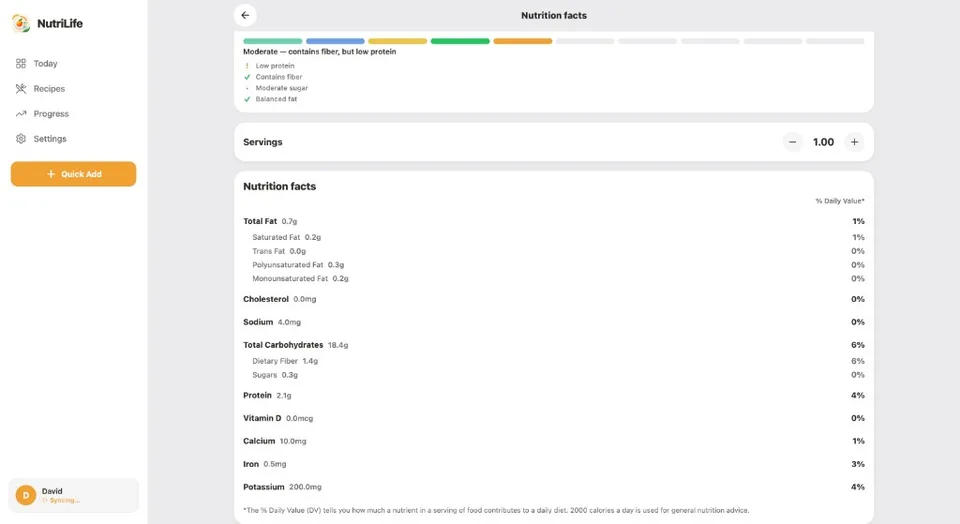
NutriLife brings protein, carbohydrate and fat totals together with your calorie log. Use food entries, barcode lookup or reviewed AI estimates to record meals and compare daily totals with your goals.
By NutriLife Editorial · Published . Product-team content; no clinical review claimed. Editorial standards.
Try the browser tracker → Guest exploration is available; AI analysis requires sign-in and available usage allowance.
What are macros?
Macronutrients are nutrients needed in larger amounts. Protein supports body tissues, carbohydrates supply energy, and dietary fat supplies energy and supports essential functions. A macro log describes food intake; it does not tell you whether your diet meets every nutritional need.
Track protein, carbohydrates and fat in one workflow
- Review calorie and macro goals in your profile and goals settings.
- Log a food or meal and confirm the serving amount. Review AI estimates before saving.
- Check daily calorie and macro totals. An incomplete food record produces incomplete totals.
- Use trends to inform a conversation about your needs, rather than treating a single day as a pass or fail.
Track without weighing every meal
You can use package servings, household measures or a photo estimate when a scale is impractical. Those choices are less certain than a known weight and a matching nutrition entry. For rice or pasta, match the entry to the state measured: raw and cooked weights are not interchangeable.
- A beginner’s guide to macro tracking and gram calculations
- Review the photo logging workflow and its limitations
Goals are starting points, not medical instructions
NutriLife calculates profile-based goals and lets you review settings. There is no universal macro ratio for every person. This app does not prescribe nutrition therapy. If you have a medical condition, are pregnant or breastfeeding, or tracking affects your relationship with food, seek qualified individual advice.
Available on web and iPhone
Explore the browser tracker as a guest, or create an account to sync. AI analysis needs sign-in, an internet connection and available usage allowance. Download the iPhone app from the configured App Store link. Android is coming soon; plan details remain in the app.
Common questions
Can I use NutriLife as a protein tracker?
Yes. Logged meals contribute to daily protein totals alongside carbohydrate, fat and calorie totals. Values depend on the food entry and portion you save.
Do I have to weigh every food?
No. Package servings, household measures and reviewed estimates are options. They introduce uncertainty, so check portions and raw versus cooked entries.
Is a macro target a personalized medical recommendation?
No. Profile-based targets are estimates. A qualified professional can advise on individual dietary needs or medical conditions.
Educational information only. Estimates are not measured intake or individualized medical advice.