NutriLife · Web & iPhone
An AI calorie tracker you can review before you log.
Take or upload a food photo and NutriLife drafts calories, protein, carbohydrates and fat. Check the foods and portions, correct the draft, then choose when to save it.
By NutriLife Editorial · Published . Product-team content; no clinical review claimed. Editorial standards.
Try the browser tracker → Guest exploration is available; AI analysis requires sign-in and available usage allowance.
From photo to food log
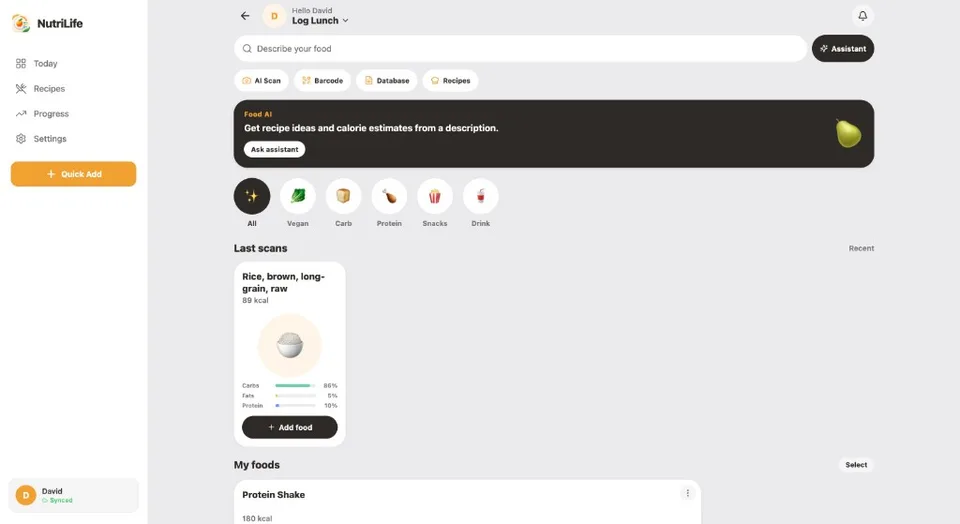
- Sign in to use AI analysis, then open photo logging and take or select a meal image.
- Review the proposed food name, ingredients, calories and macro estimates.
- Adjust servings or edit ingredient amounts. You can ask for a meal correction, such as adding cooking oil, before saving.
- Save the reviewed meal to your chosen meal slot and see it reflected in daily totals.
A food photo is evidence, not a measurement
A single photo cannot establish an exact portion weight or reveal every ingredient. Hidden oil, dressing, fillings and drinks can change the result. NutriLife estimates nutrition; it does not measure calories or diagnose dietary needs. We do not publish a clinical accuracy percentage because we have no clinical validation for this app.
Use the logging method that fits the meal
Describe a homemade dish when an image leaves out ingredients. Use barcode lookup for a packaged product, then compare the entry and serving with its label. Barcode coverage depends on the product database; not every item is available. Manual food logging remains useful when AI is unavailable.
Try the browser tracker or download for iPhone
The browser guest experience lets you explore tracking without an account. AI photo and description analysis require sign-in, an internet connection and available usage allowance. Current plan limits are shown in the app. Saved local records can be viewed offline; AI analysis cannot run offline. The iPhone app is linked below. Google Play is coming soon.
Common questions
Can a photo calorie counter identify every ingredient?
No. Oils, sauces, fillings and preparation details may be invisible. Review the suggested ingredients and servings before saving.
Can guests use AI scans without signing in?
AI analysis requires sign-in and available usage allowance. You can explore the browser tracker as a guest and use manual logging.
Does NutriLife work on Android?
NutriLife has a browser experience and an iPhone App Store listing. The Google Play listing is coming soon.
Educational information only. Estimates are not measured intake or individualized medical advice.