Your AI calorie counter & macro tracker.
An AI nutrition tracker for everyday meals. Sign in to estimate calories from photos, review the result, and track macros on web and iPhone. Explore manual tracking as a guest. Android coming soon.
Calorie apps feel like homework.
So the notebook fills up for a week, then quietly dies on the counter. It's not a willpower problem. It's a design problem.
Apps that feel like spreadsheets
Rows, columns, guilt. You wanted breakfast, not bookkeeping.
Logging takes longer than eating
Ten taps, three searches, one portion size you'll never know.
Streaks lost when you switch phones
Six months of mornings, gone with the old device.
Barcodes that never find the product
Your yogurt exists. Apparently not in their database.
Quiet weekly trends
Built for the habit that sticksPersonalized goals for your routine.
Set calorie and macro targets for weight loss, maintenance, or muscle gain. Log meals and follow the trends that help you stay consistent.
Log
Photo, barcode, search, or a recipe you love. Seconds, not minutes.
Understand
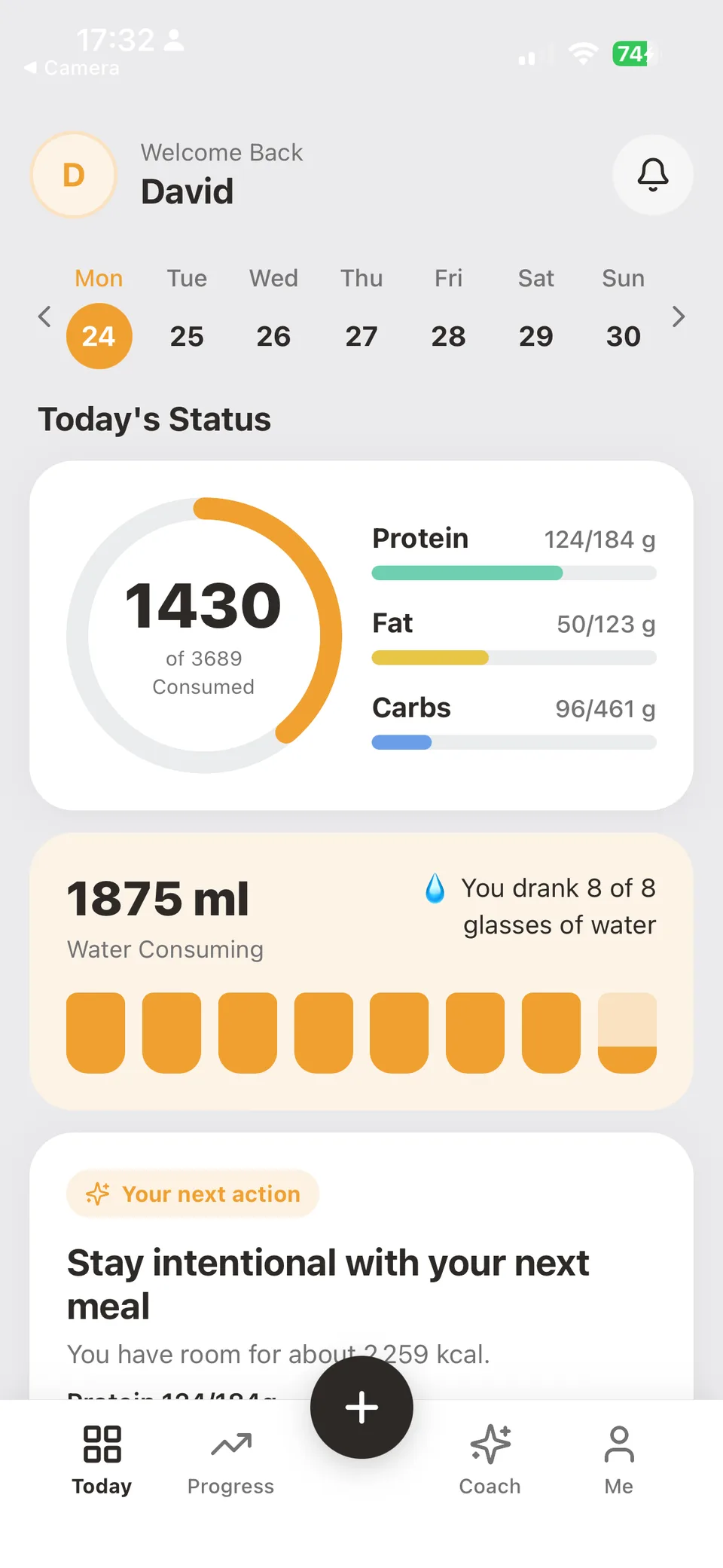
One calm arch for calories. Three honest rings for protein, carbs and fat. Water beside them.
Continue
Guest now, cloud when you sign in. Your streak survives every new phone.
Macro & calorie tracking, made simple.
Track protein, carbs, and fat alongside your calorie budget. Review serving sizes, log your meals, and follow your progress over time.
Daily timeline
Greek yogurt bowl
320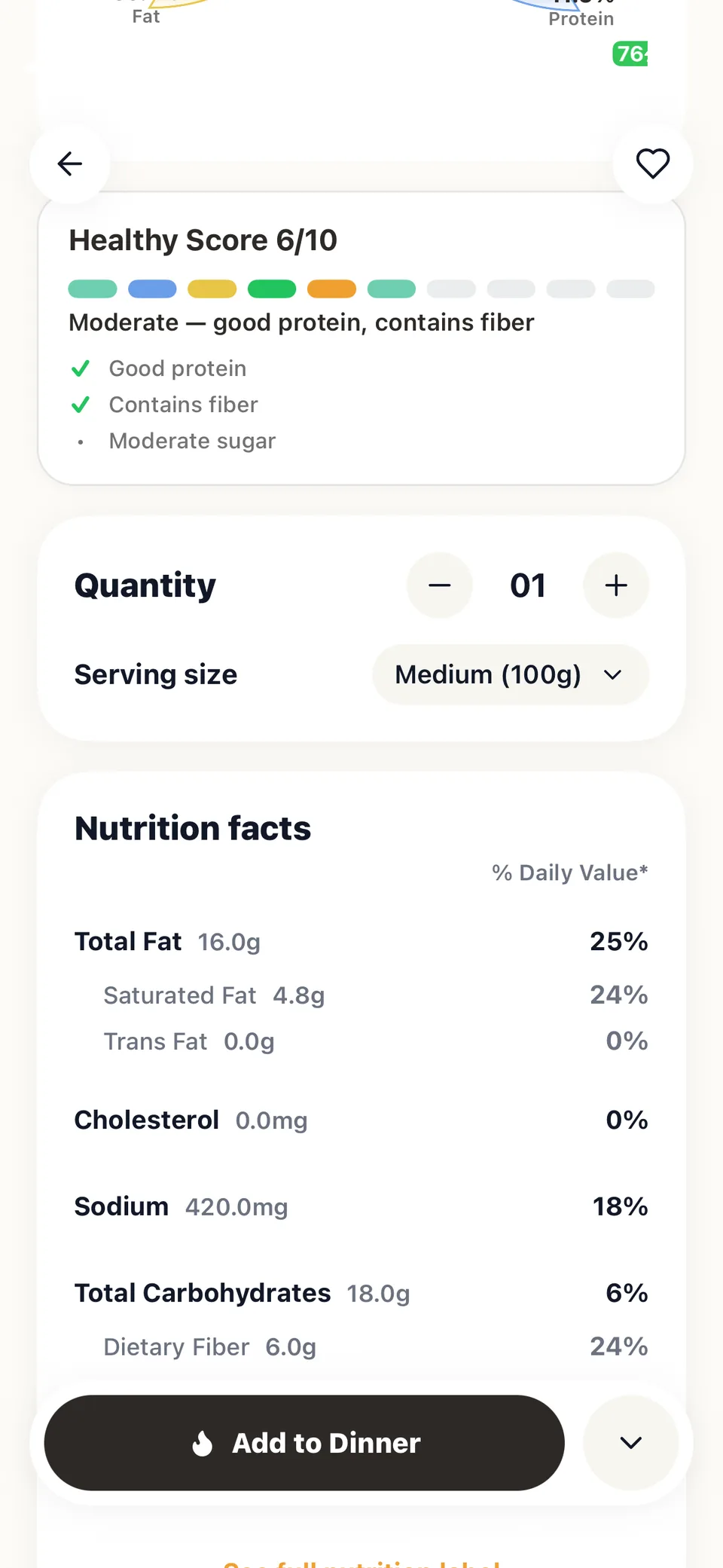
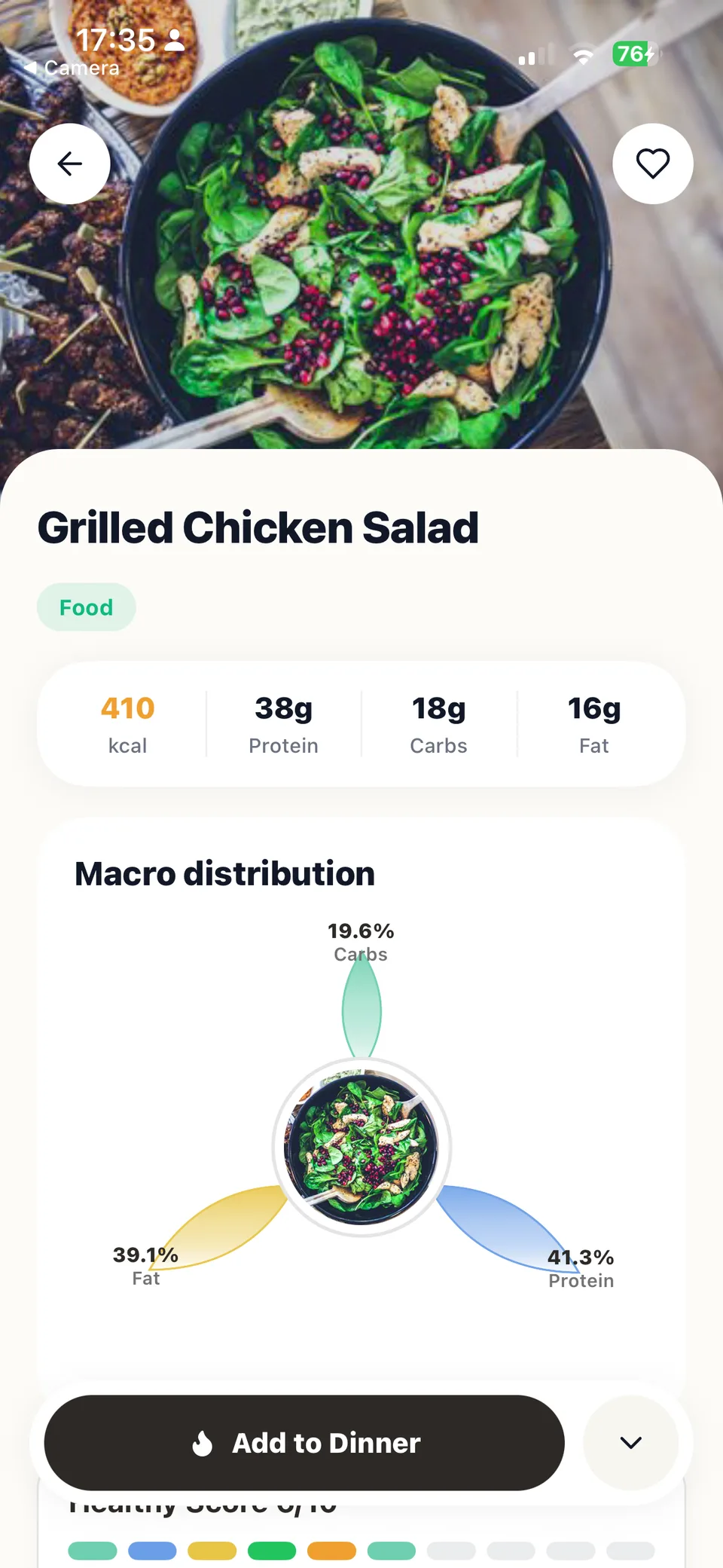
Grilled chicken salad
410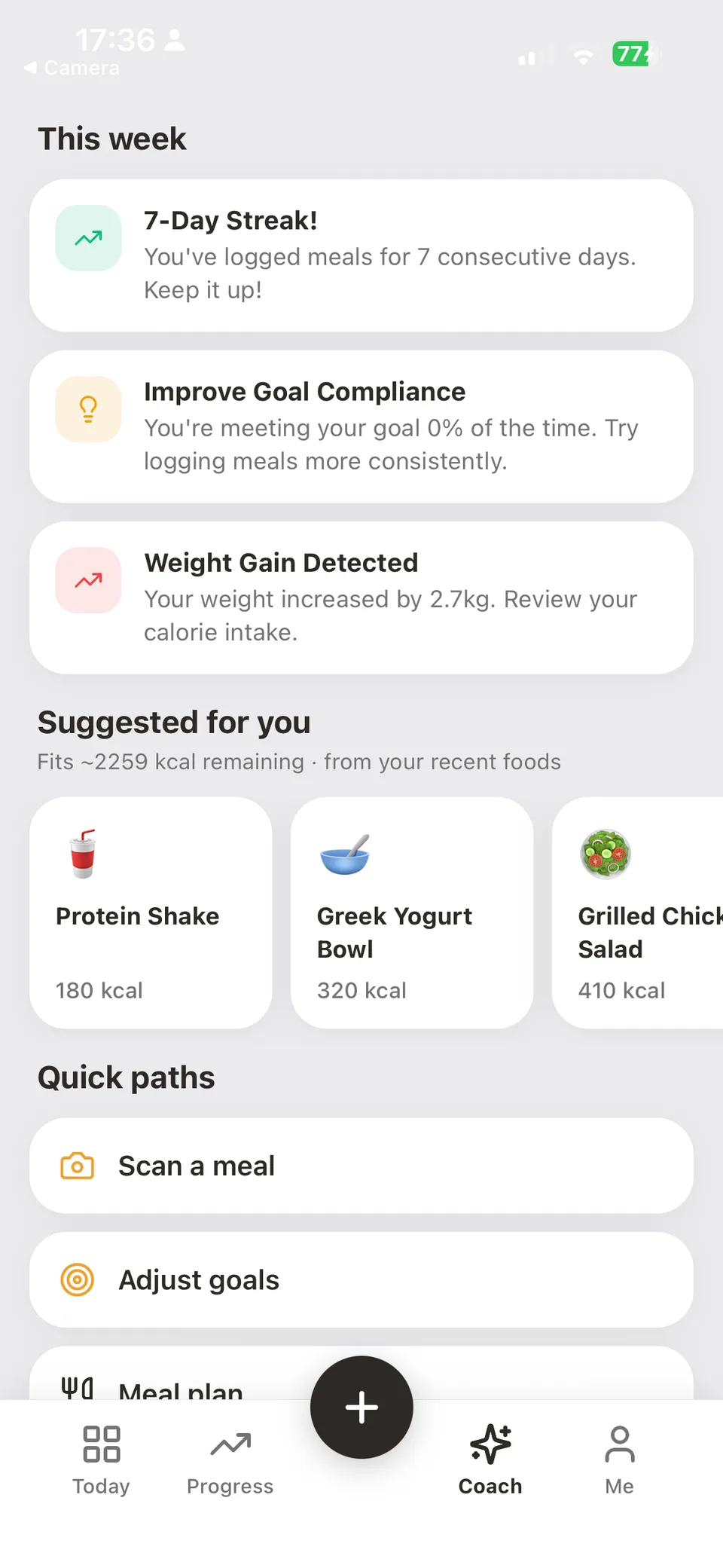
Protein shake
180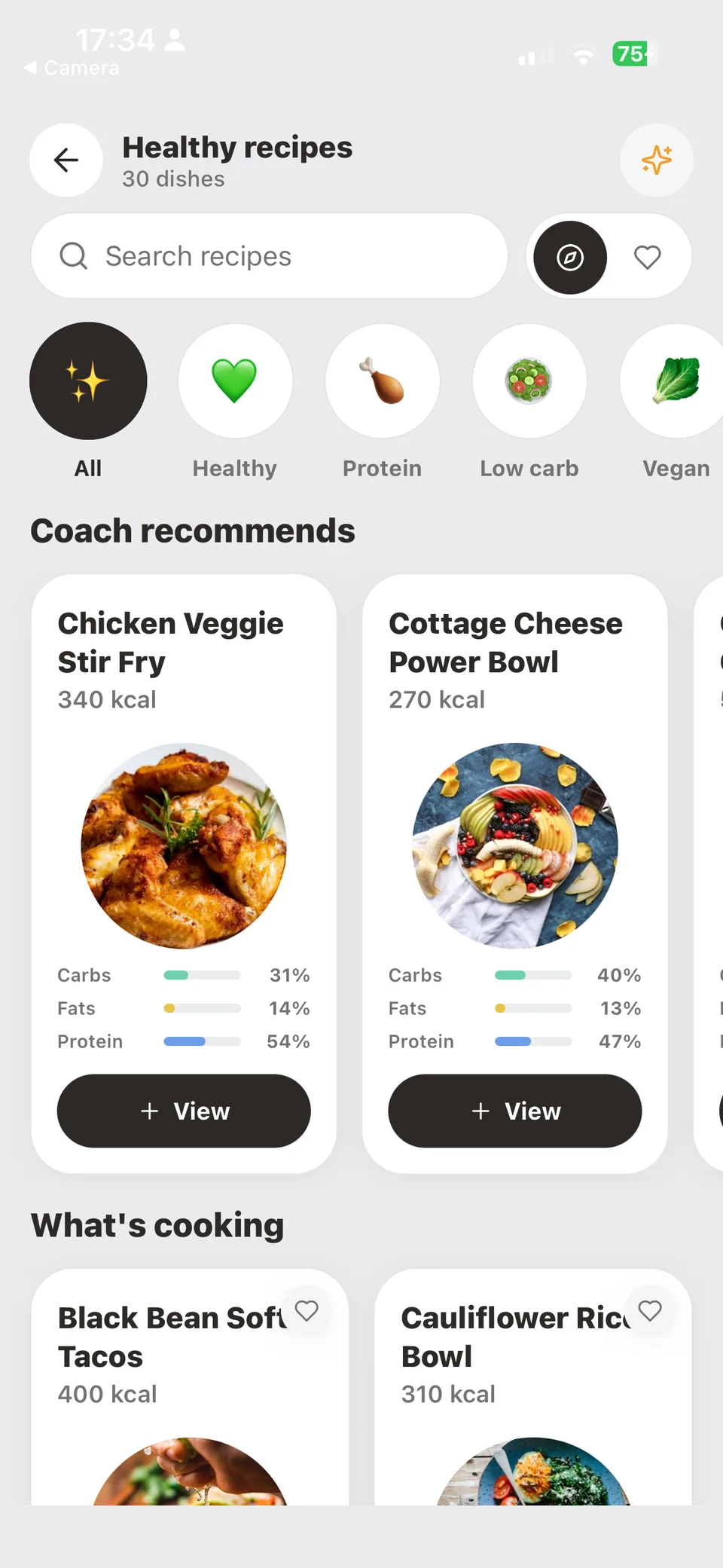
Dinner — planned ahead
620"Dinner already fits. Tomorrow is already easier."
Tap a tab. See the real app.
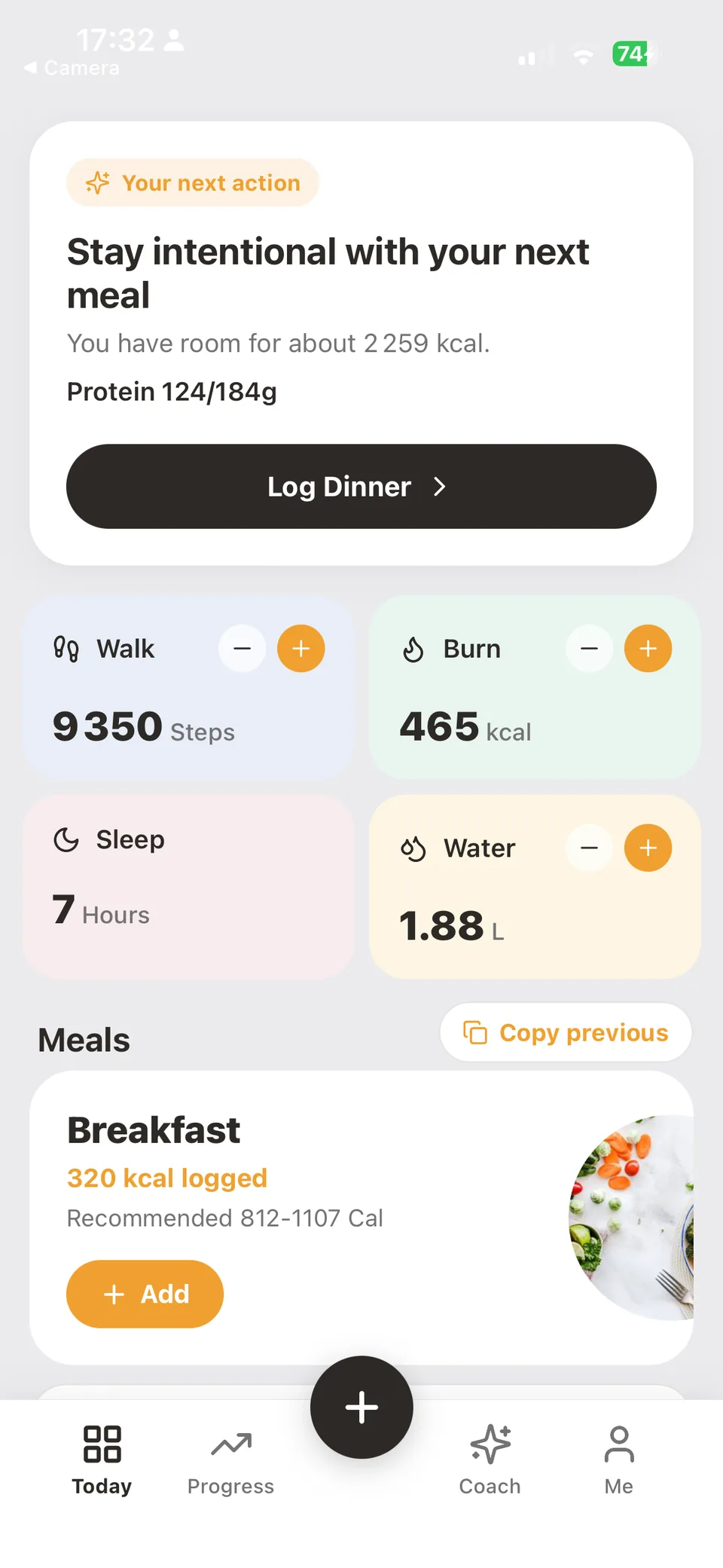
Switch Today, Recipes, Progress, and Settings — real screenshots from the app.
Today
Your day at a glance
Calories, macros, water, and the next meal — one calm dashboard.
Recipes
Cook once, log forever
Browse healthy recipes, open a dish, and add it to today in one tap.
Progress
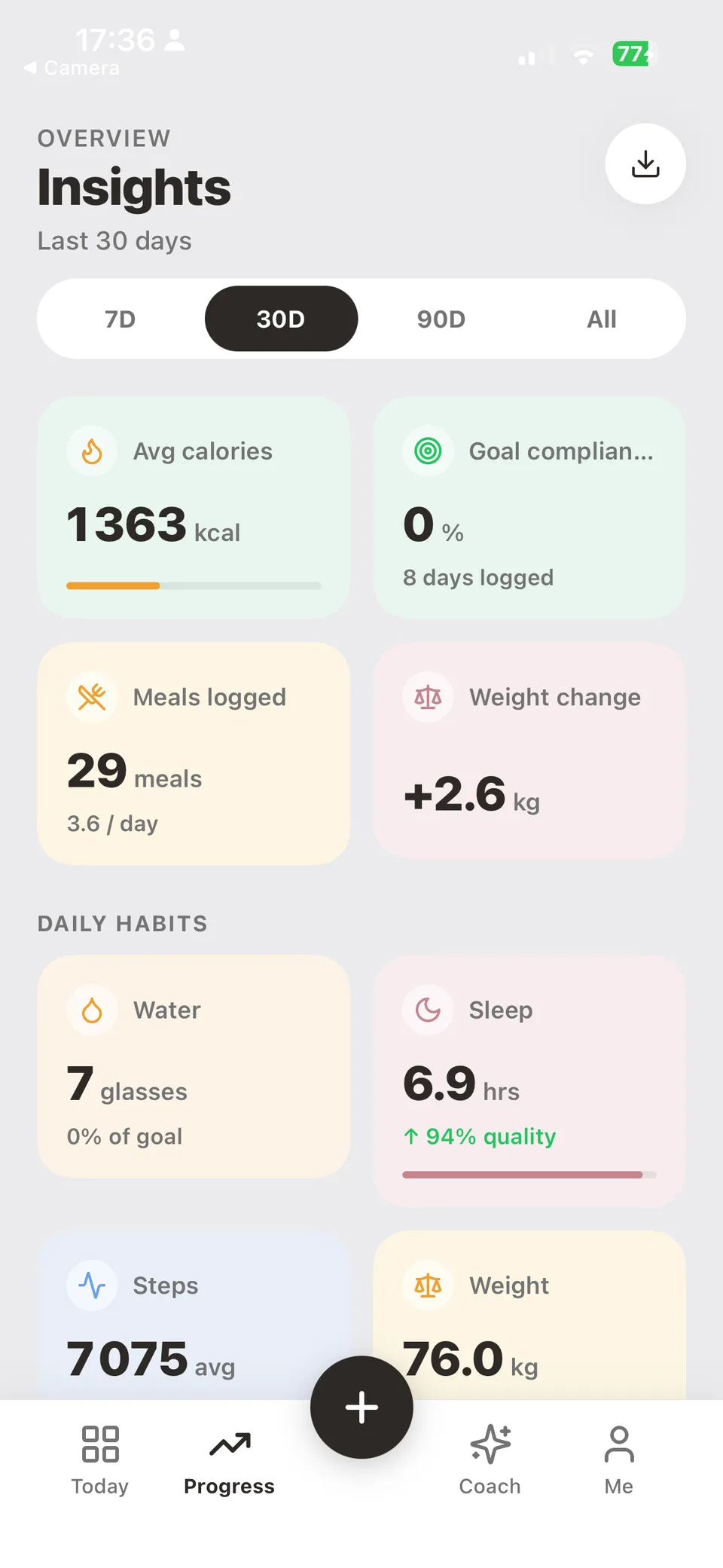
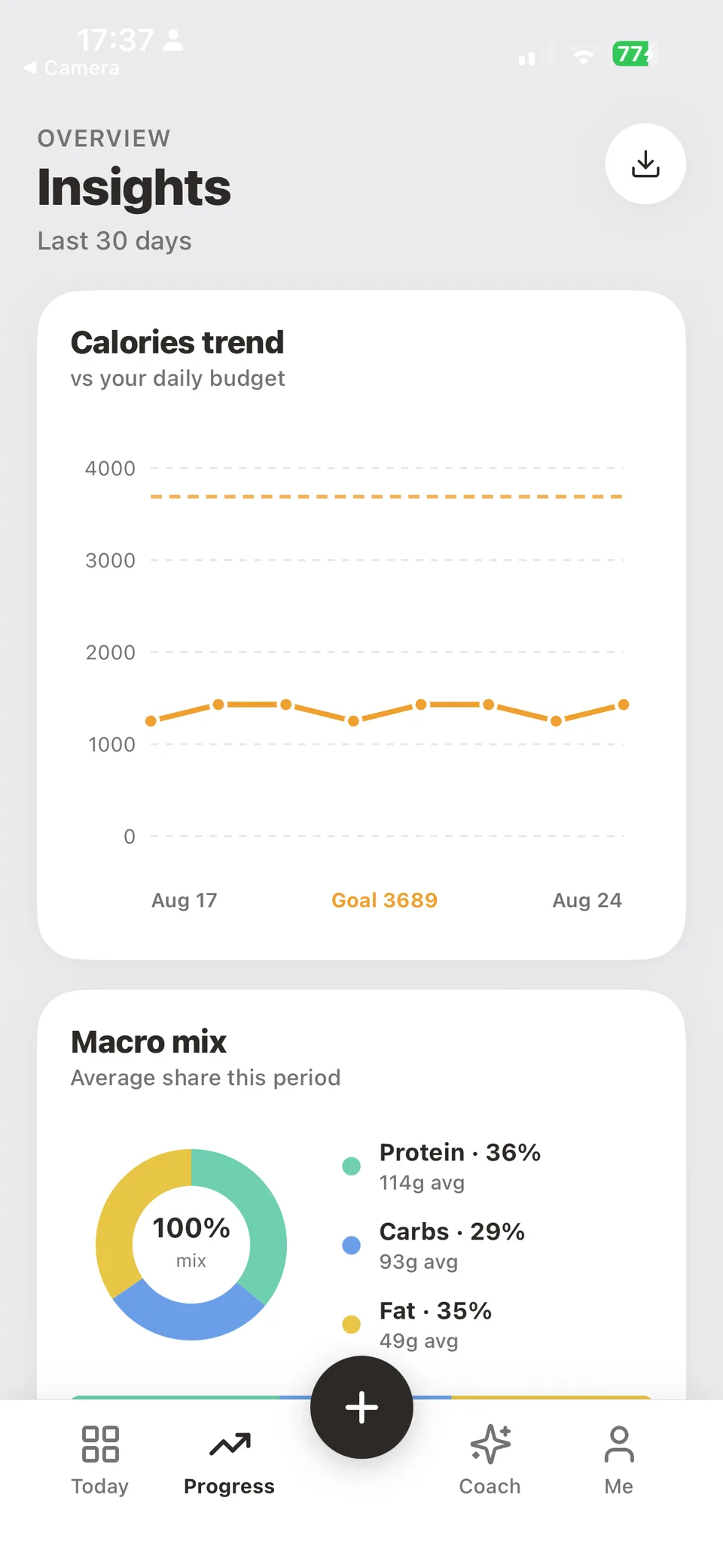
Quiet weekly trends
Calories vs budget, macro mix, and habits — without spreadsheet noise.
Settings
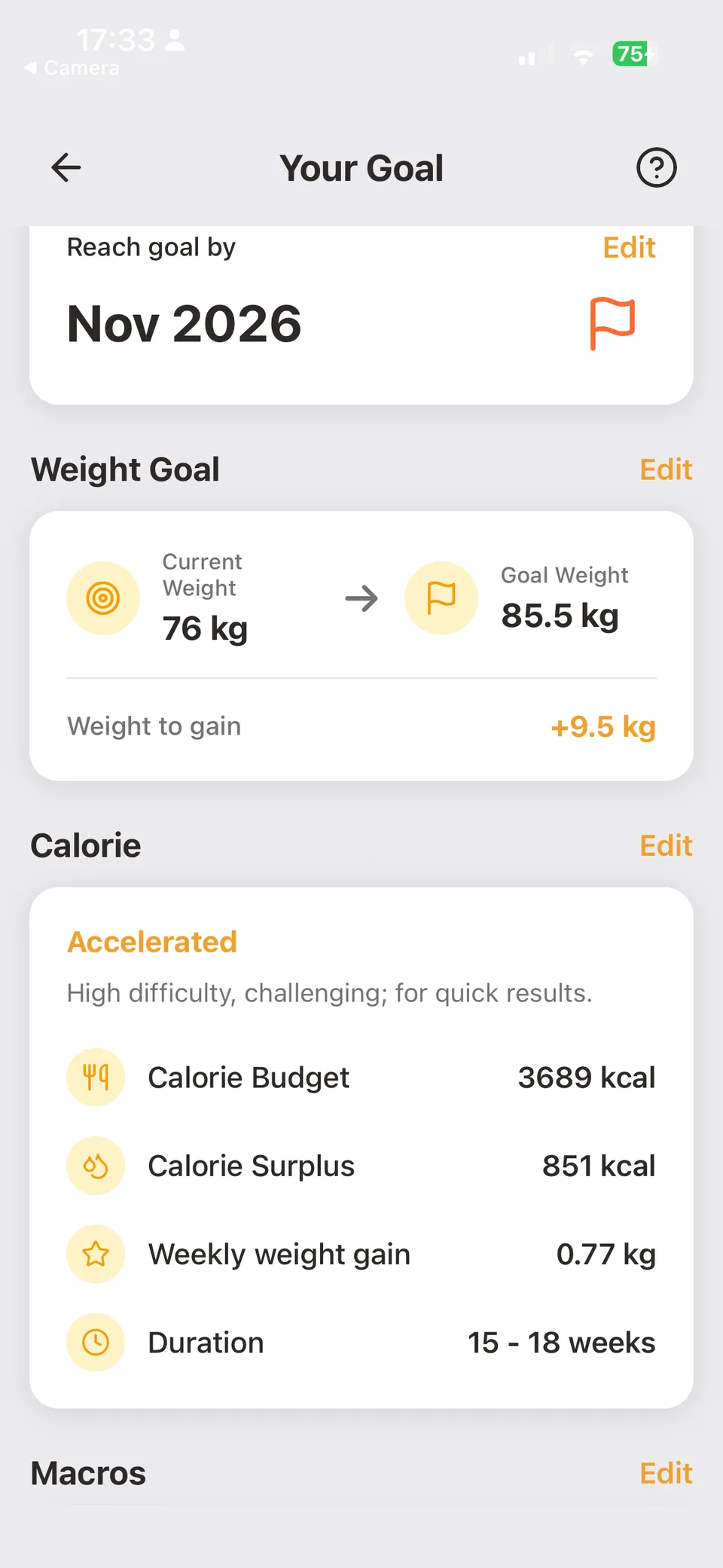
Goals that stay sharp
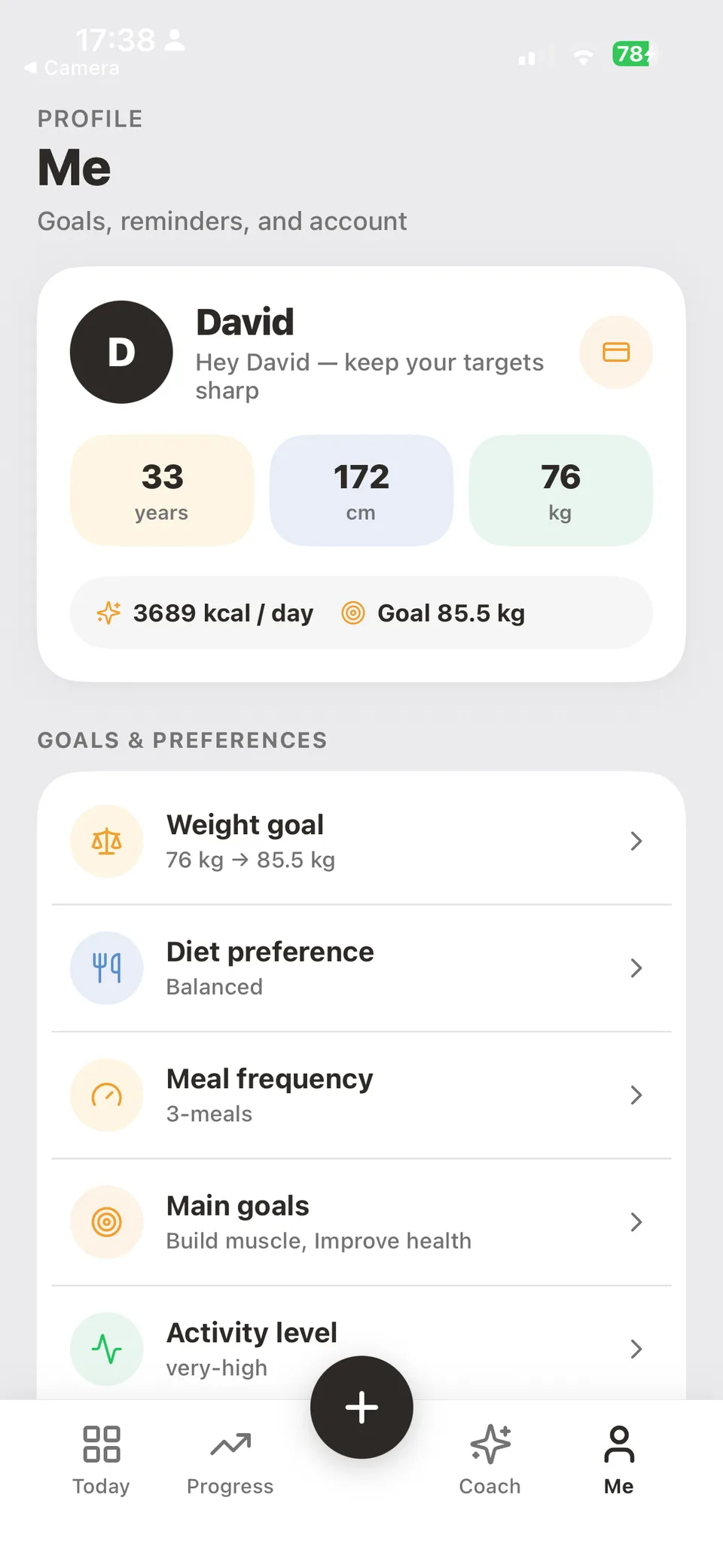
Profile, calorie plan, weight target, and preferences in one place.
Every screen, one calm habit.
Tap any frame to explore. Today, logging, recipes, coach, and progress — the real NutriLife, not a mock.
Today
Same habit. Bigger screen.
NutriLife on desktop — sidebar navigation, wide insights, and logging that loves a keyboard.
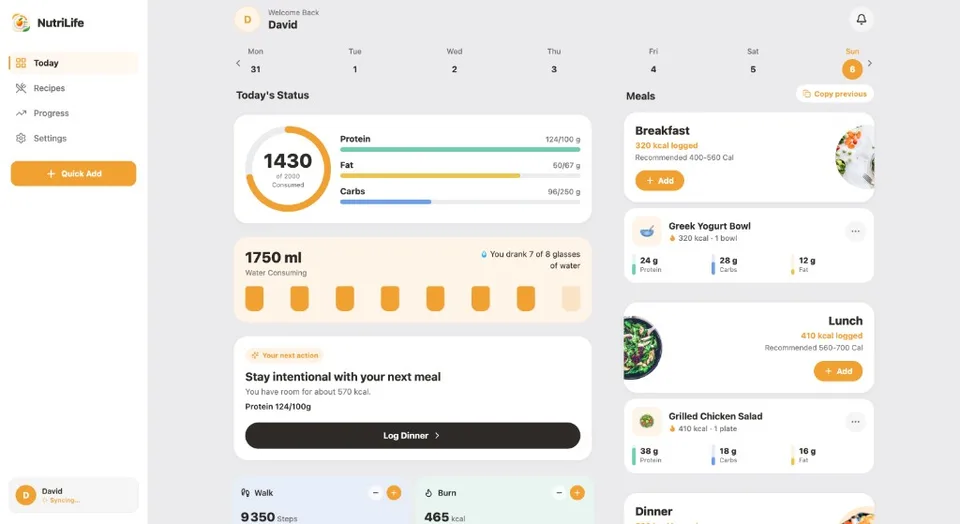
Today
Your day on a wide canvas
Calories, macros, water, and meals — the same calm dashboard, built for desktop.
Log meals with AI food scanning.
Photo calorie scanner
Snap a meal photo or describe your food. AI food recognition estimates calories and macros — review portions and confirm before logging.
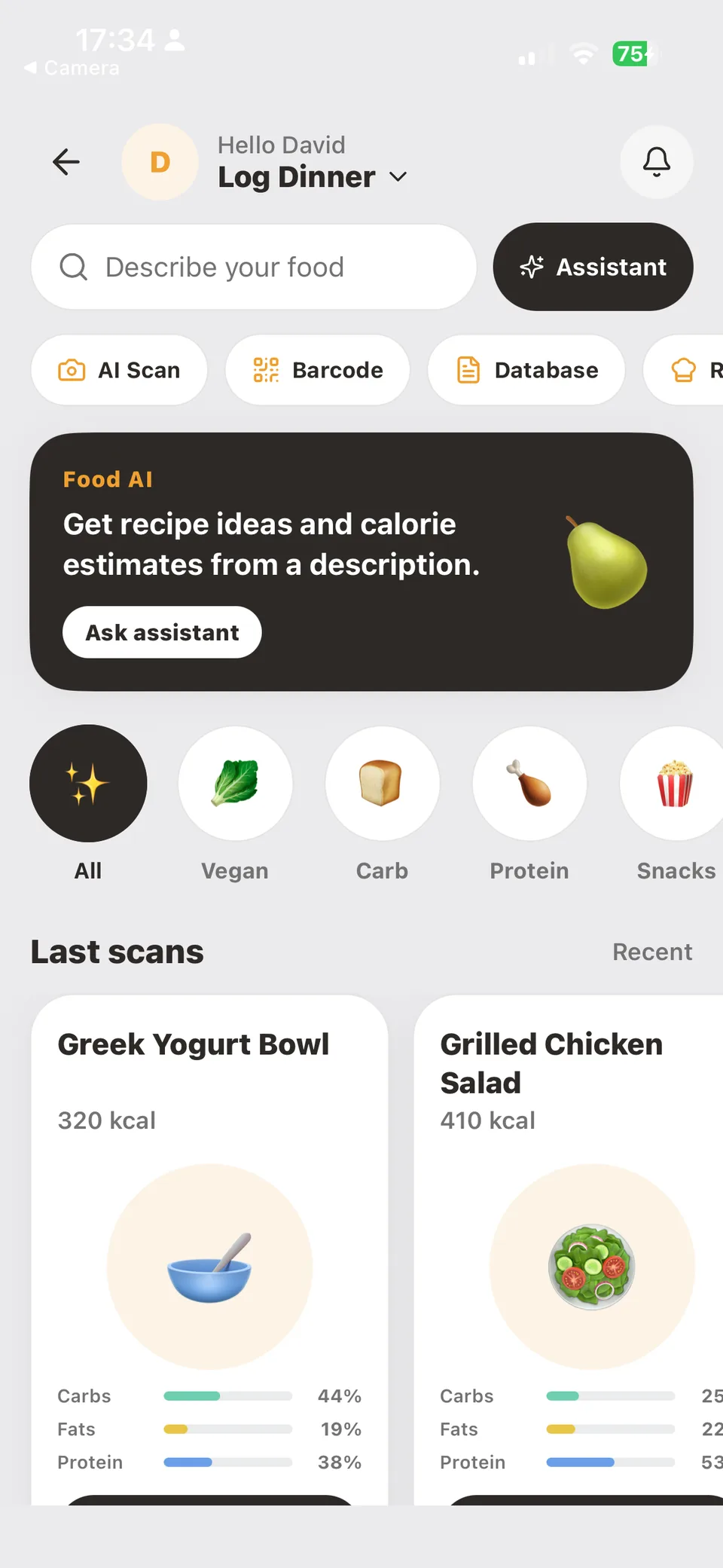 AI Scan · Barcode · Database
Nutrition clarity
Healthy score, serving size, and the full label — before you tap Add.
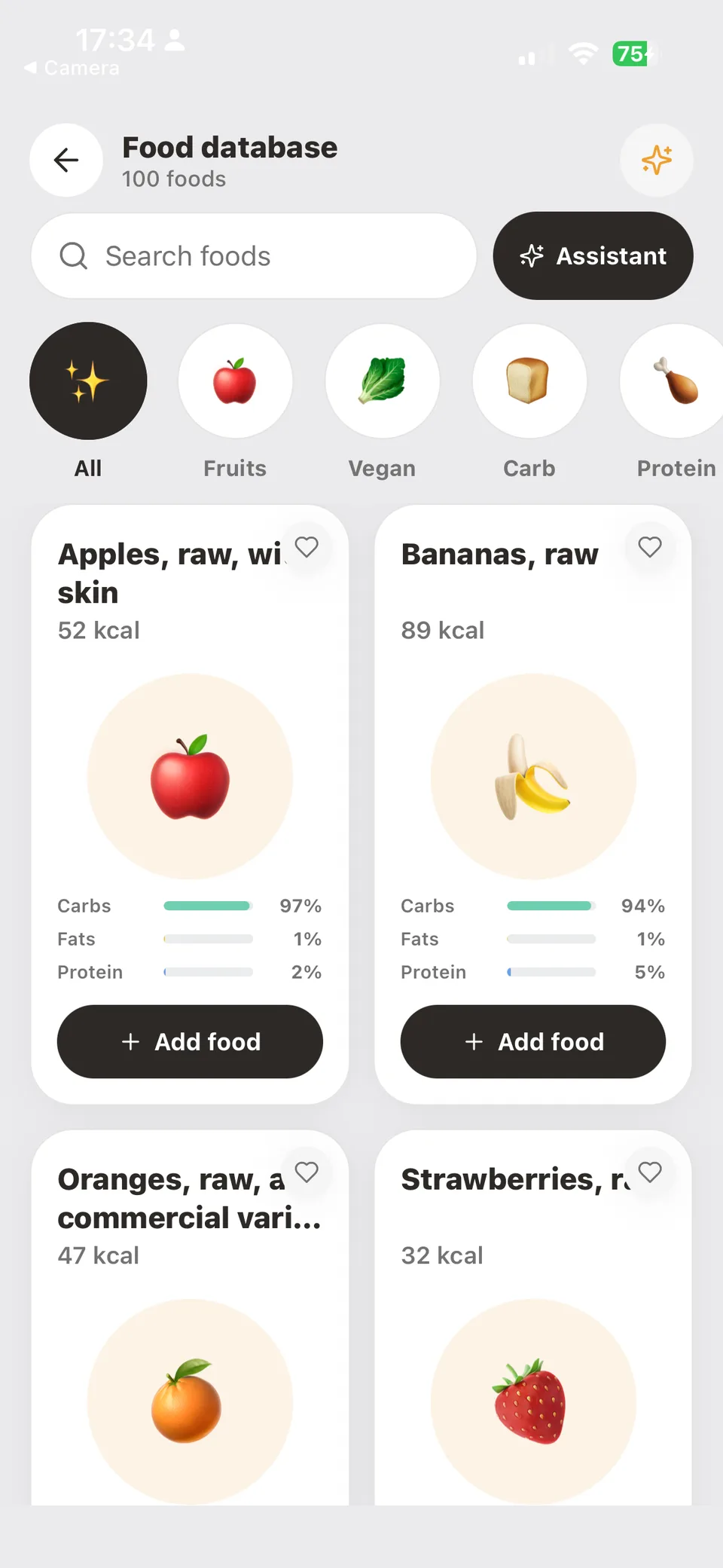
Search the database
Fruits, protein, vegan — browse with macros on every card.
Healthy recipes
Coach picks and one-tap views — carbs, fats, protein at a glance.
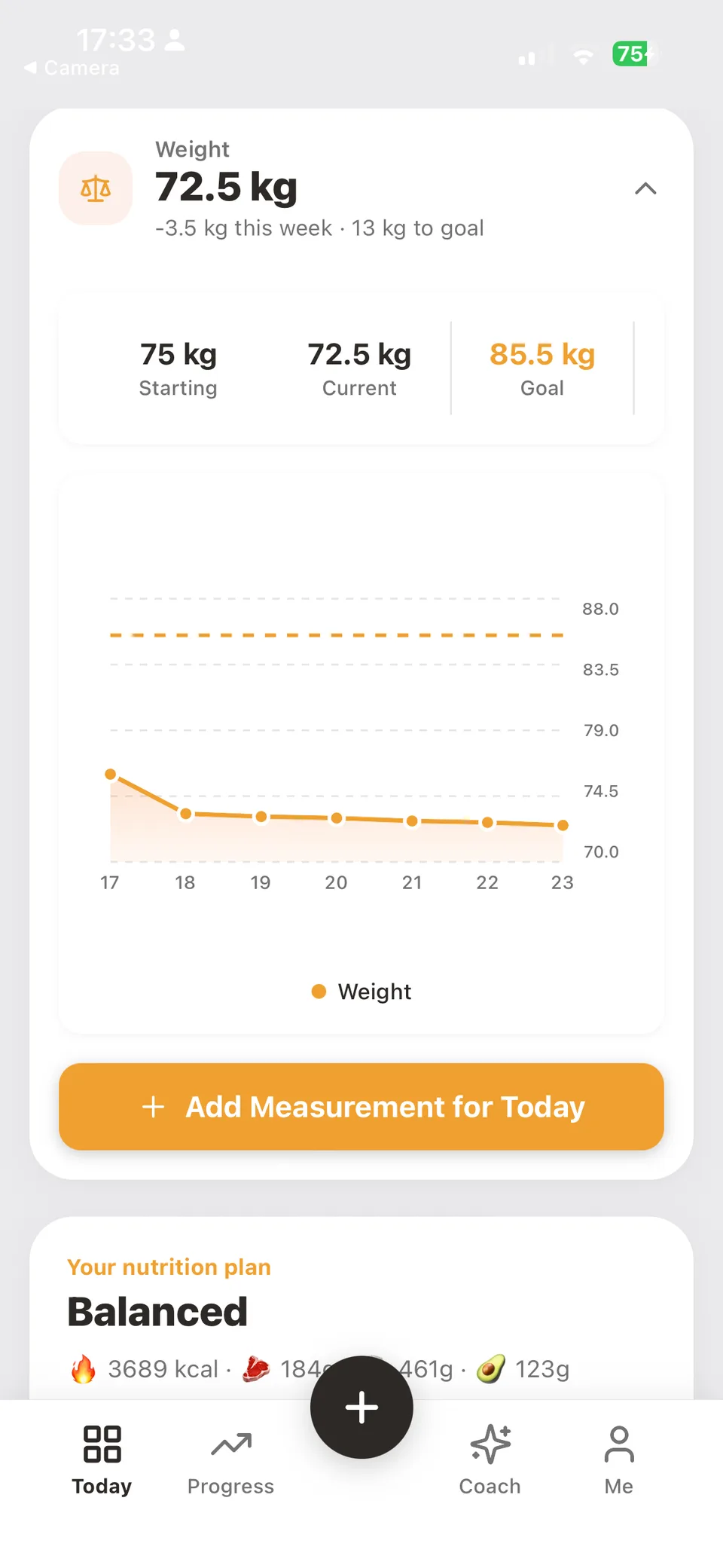
Weight & habits
Steps, water, sleep, and the weight trend on the same day.
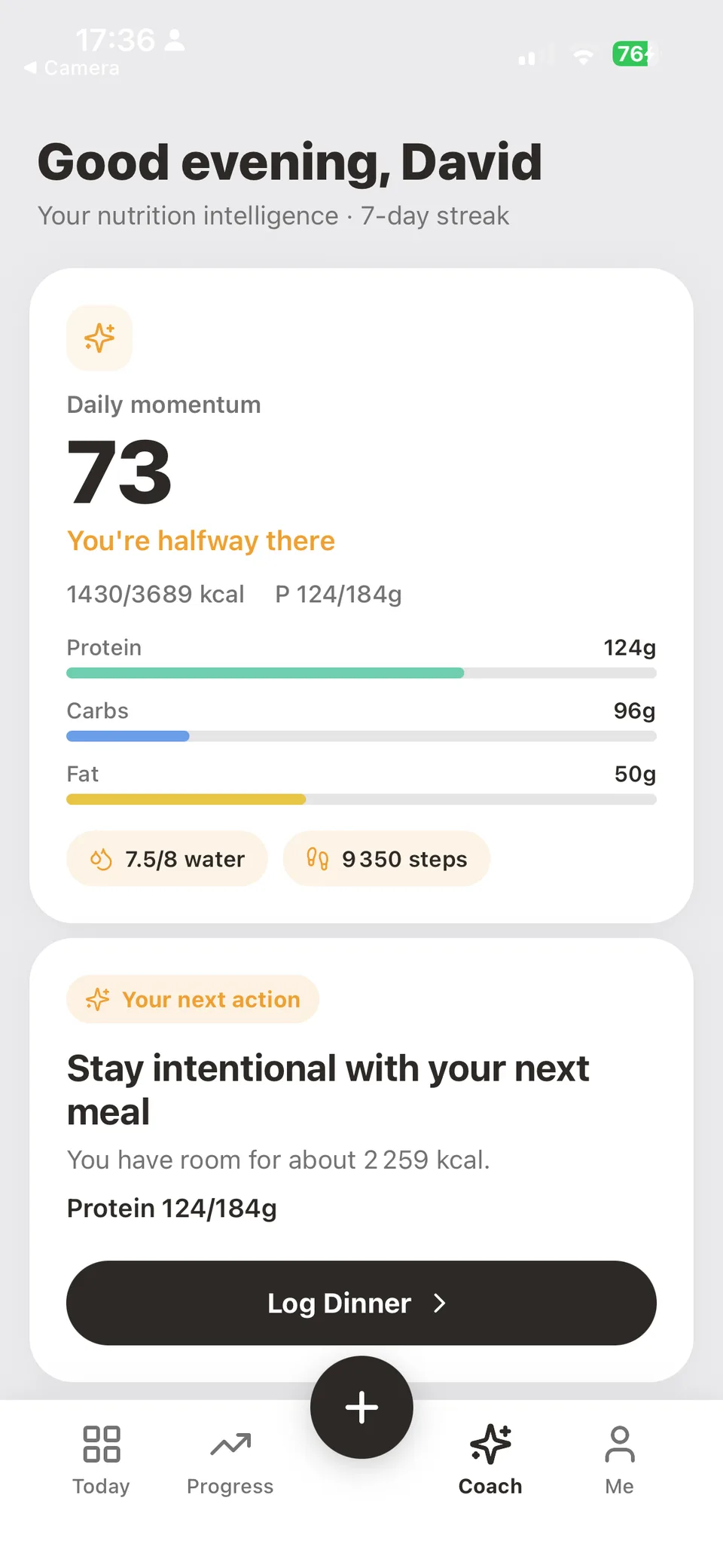
Coach that knows your day
Daily momentum, next action, and meal suggestions that fit the calories you still have.
Real product. Real mornings.
Calories, macros, water, and the next meal — one calm dashboard.
Today · next action
Me — goals and preferences
Me · goals & targets
Weight target, calorie strategy, and balanced macros in one view.
Your Goal · plan
Offline-first
Full tracking, no account, data stays on your device.
Firebase sync
Sign in once — web and iPhone stay in step. Android coming soon.
One habit
The same calm day, on every screen you own.
Start free. Sign in when it matters.
The whole product works without an account. Signing in simply lets your morning follow you.
Guest
Freeforever
- Full tracking in your browser
- Photo, barcode & search logging
- Calories, macros, water & weight
- Your data stays on your device
Account
Freewhile in beta
- Everything in Guest
- Cloud sync — web & iPhone (Android soon)
- Backup, restore, switch devices
- Weekly progress across devices
Your nutrition tracking questions, answered.
Is NutriLife free to use?
Yes. You can try the free browser sandbox without an account. Check the landing page and your regional App Store listing for current availability and offer terms.
How accurate is AI meal scanning?
AI meal scanning requires sign-in and available usage allowance. It provides estimates, not exact measurements. Portion sizes, cooking oils, sauces, and hidden ingredients can change nutrition values. Review the recognized foods and adjust serving sizes before saving your meal.
How does NutriLife AI track calories?
NutriLife uses AI food recognition to estimate calories, protein, carbs, and fat from a meal photo. Review the foods and serving sizes before saving: photos cannot reveal every ingredient, oil, or portion weight.
How do personalized calorie and macro targets work?
Set up your profile and choose a weight loss, maintenance, or muscle gain goal. NutriLife calculates a calorie budget and macro targets that you can review and adjust in your goals settings.
Does NutriLife track weight loss automatically?
NutriLife charts your progress from the meals and weight entries you log. AI can help draft meal nutrition, but you still review food estimates and record your weight. Results depend on your individual circumstances.
Can I use kilograms or pounds?
Yes. Choose metric or imperial units in your profile settings, including kilograms or pounds for weight. The landing page screenshots show example data in metric units.
Is NutriLife free, and which platforms are available?
You can try the free browser sandbox without an account and download NutriLife for iPhone from the App Store. Sign in to sync your data. The Android app is coming soon.
What does the AI nutrition coach do?
The coach brings together your daily nutrition progress, next actions, and meal suggestions that fit your remaining calorie budget. Its suggestions support meal planning and do not replace professional nutrition advice.
NutriLife AI Tracker
Eating well should feel this simple.
Open the dashboard, log your first meal, and let the arch fill. Tomorrow will take care of itself.
No account needed · works offline · syncs when you sign in